

Are you fed up with spending hours arranging blocks of text in PowerPoint or Google Slides? Gamma is an AI that generates presentations, documents and web pages from a simple prompt, allowing you to create professional content effortlessly.
But to be honest, €24 a month for the Gamma Pro subscription isn’t within everyone’s reach. Here’s a simple tip to help you get Gamma more cheaply: from €11/month – saving over 50 per cent on the subscription.

Key points at a glance:
- The most interesting Gamma plan: Gamma Pro, which allows for more generations thanks to premium AI models and offers far greater customisation.
- Gamma Pro’s official price: €24 per month with no commitment, or €216 per year on an annual basis
- The cheapest option: a private Gamma Pro account on GamsGo from €11/month
- The free version offers 400 credits upon registration, compared with 4,000 per month for the Pro version.
An extra 3% off with my promo code:budgenie
How much will Gamma cost in 2026?
Gamma offers four individual plans: Free, Plus, Pro and Ultra. The prices of the premium plans are a little on the high side, but the platform does have the advantage of offering a free version that allows you to properly test its features and the power of its AI.
| Free plan | Plus Plan | Pro Plan | Ultra Plan | |
|---|---|---|---|---|
| Price | €0 | €10/month €96/year | €24/month €216/year | €86/month €928 per year |
| AI credits | 400 on registration | 1,500 per month | €4,000 per month | 20,000 per month |
| AI tokens = quantity / richness of text during generation | 50 K | 100 K | 100 K | 100 K |
| Image generation model | Simple | Advanced | Premium | Ultra |
| No. of cards = slides generated simultaneously | Up to 10 | Up to 100 | Up to 100 | Up to 100 |
| Remove badge ‘Designed with Gamma’ | ❌ | ✔️ | ✔️ | ✔️ |
| Access to the API | ❌ | ❌ | ✔️ | ✔️ |
| Custom domains and URLs | ❌ | ❌ | ✔️ | ✔️ |
| Custom headers and footers | ❌ | ❌ | ✔️ | ✔️ |
| Detailed audience analytics | ❌ | ❌ | ✔️ | ✔️ |
| Password protection | ❌ | ❌ | ✔️ | ✔️ |
| Custom fonts | ❌ | ❌ | ❌ | ✔️ |
| Early access to new features & templates | ❌ | ❌ | ❌ | ✔️ |
The Plus plan offers excellent value for money for fairly light use, whilst the Pro plan is ideal for professionals looking for advanced features and greater customisation.
How can I get Gamma more cheaply?
The best way to pay less for Gamma App without losing any of the Pro plan’s features is to use the GamsGo platform, which offers premium subscriptions at reduced prices!
It offers Gamma Pro private accounts with 4,000 credits per month. Here are the prices recorded in November 2026:
- €11.99 per month with automatic renewal (which you can cancel at any time)
- €12.99 for one month, with no automatic renewal
If you use my promo code BUDGENIE, the best price for Gamma Pro on GamsGo is around €11 per month instead of the official price of €24. That’s a saving of over 50 per cent!


- The cheapest subscriptions on the market
- 100+ platforms including Netflix, Spotify, Adobe, Disney+, YouTube Premium, etc.
- Immediate access to accounts after purchase
- 24-hour customer service

And unlike other methods, such as using a VPN (which is often unreliable and can sometimes be risky), this solution is reliable and straightforward: you pay for your Gamma subscription via GamsGo, and you’ll receive your access details straight away.
You also benefit from a very accessible customer service team should you have any questions or problems, and the other advantage I see is being able to centralise your other subscriptions there to maximise your savings!

I’ve been using GamsGo myself for over 3 years, mainly for my Netflix and Spotify subscriptions, and I’ve also tried Gamma Pro on it: I’m very happy with the service!
How does Gamma work with GamsGo?
There are no longer any shared accounts for Gamma, which is now available in just one package: a private Pro account with 4,000 credits per month. Here’s how to sign up in just a few minutes:
1. Sign up to GamsGo for free – it’s really easy – using your Facebook or Google account, for example.
2. Search for the Gamma subscription using the search bar or in the AI section, and set up your subscription. When paying, don’t forget to use my promo code to get an extra 3% off: BUDGENIE

Leave automatic renewal switched on if you plan to keep Gamma for several months: it also saves you €1 a month, and you can switch it off whenever you like.
3. Once your payment has been processed, you will receive an email confirming that your subscription is ready, and you will be able to retrieve your Gamma login details from the ‘Subscriptions’ tab on GamsGo:

4. All you need to do next is go to the official Gamma website and log in using the details provided! When I logged into my account, everything was in Japanese! Don’t worry if you find the same thing – you can change the language in just three clicks in your profile settings.

Here’s an example of my first draft of a presentation 😉


Other ways to pay less for Gamma
You can also look into these official options, which offer far fewer savings, but allow you to keep your own account:
The free plan and the referral scheme:
The Free plan gives you 400 credits upon registration – which are never topped up – and 10 slides per presentation, with the Gamma logo on your exports. Every friend who signs up via your referral link earns you 200 credits (source: Gamma). That’s enough for the occasional presentation.
Plus rather than Pro:
Many people automatically opt for Pro. However, the Plus plan already removes the logo and gives you 1,500 credits per month. If you don’t need the branding, statistics or custom domains that come with the Pro plan, the Plus plan costs €10 a month – which is already cheaper than GamsGo – and €8 a month on an annual basis, on your own account.
The annual subscription:
On an annual basis, the Pro subscription drops from €288 to €216, representing a 25 per cent saving (€18 per month), but the downside is that you have to pay the whole amount up front.
My review: Gamma via GamsGo
GamsGo is the right choice if you want the Pro features without paying top dollar. You do have to accept that you won’t have your own personalised account, so you should avoid using sensitive data. But you’ll still save over €144 over a year, without having to pay upfront. As for me, GamsGo has already saved me over €550 on my subscriptions.
What is the Gamma App?
Gamma is an artificial intelligence tool designed to revolutionise the way presentations are created. You simply describe what you want to present, and the AI takes care of the slides, visuals and layout, so you don’t have to spend hours aligning blocks or searching for images.
Gamma works perfectly in tandem with ChatGPT, which you can use to organise your ideas and generate an outline or prompt to feed into Gamma, thereby optimising your creations even further!
In practical terms, you can create:
- Effortlessly designed, visually appealing presentation slides
👉 Start from scratch with AI, or import a PowerPoint, Google Slides or PDF file - Interactive documents such as white papers or case studies
👉 Export as a PDF, PPTX, viewable link or web page - Web pages to present an idea, a project or a landing page
👉 You can publish on your own domain (from the Pro plan onwards) and even connect tracking tools such as Google Tag Manager - Posts for your social media, formatted for each platform

Who is Gamma aimed at?
Gamma is a tool designed for anyone who needs to communicate ideas effectively. Whether you’re a student, a teacher, an entrepreneur, a manager or a consultant, you can use Gamma to save time and enhance the visual impact of your presentations.
- Students and lecturers: lectures, course summaries, dissertation presentations
- Self-employed and freelancers: business proposals, quotations, interactive portfolios
- Start-ups and SMEs: pitches, reports, team materials
- Trainers: more modern and immersive learning materials
- Content creators: carousels, slides or web pages
Other, cheaper AI tools and alternatives to Gamma
GamsGo isn’t limited to just one type of artificial intelligence. The platform offers a wide selection of low-cost AI tools covering all areas of use: writing, images, video, code, voice, etc.
- ChatGPT Plus
- Midjourney
- Grok
- DeepSeek via GamsGAI, GamsGo’s tool for centralising access to AI!
- Perplexity AI
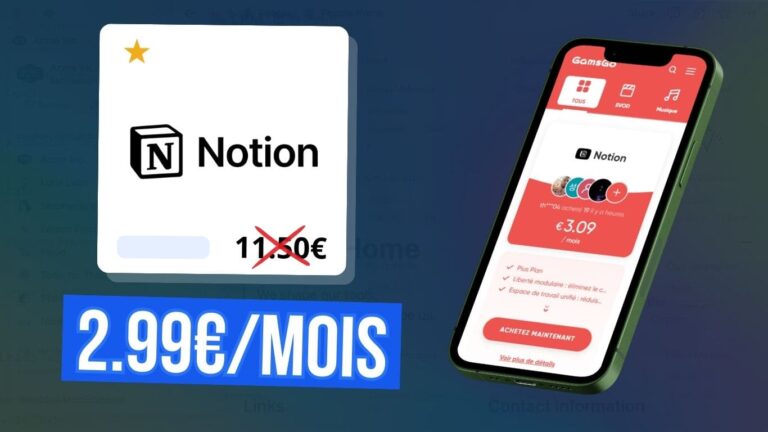
- Notion
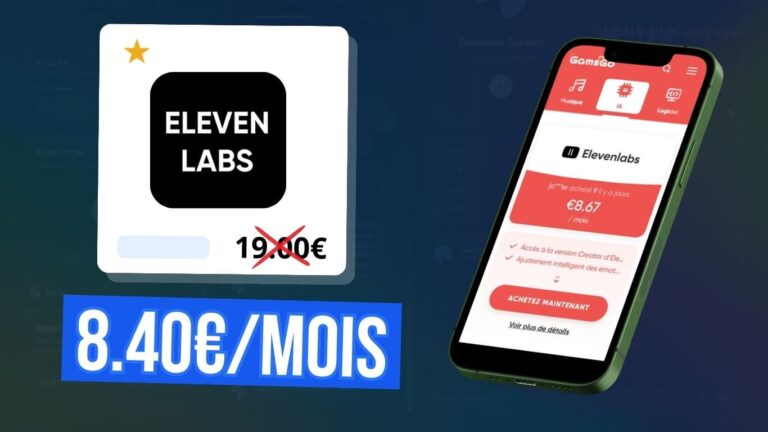
- ElevenLabs
There are also numerous other digital subscriptions and services in a variety of fields, such as video and music streaming services, creative software, educational software, and so on.