

If you’re looking for an alternative to Microsoft Office, you’ve probably heard of WPS Office. The office suite now includes everything you need to get your work done: word processing, spreadsheets, presentations and PDF tools.
WPS Office has a free version that allows you to use Docs, Sheets, Slides and PDFs. However, the advanced features based on artificial intelligence – particularly those for writing, summarising, translating or creating presentations – as well as the 20 GB of cloud storage, are reserved for paid subscriptions.
I’ll show you exactly how to get cheaper WPS Office from €4/month, what the free version offers, and the features included in WPS Office Premium.
An extra 3% off with my promo code:budgenie
Key points at a glance:
- Free version: sufficient for standard documents, spreadsheets and presentations, with adverts and 1 GB of cloud storage.
- Official Pro+ prices: €59.99 per year, €36.99 for 6 months or €20.99 for 3 months.
- Cheaper option: on GamsGo, WPS Pro+ is available for €48.49 per year with the code budgenie (€4.04 per month), and WPS Basic (without AI) is available for €34.91 per year (€2.91 per month).
- For two or more users: the official Sharing Plan costs €37.99 per year per person, on your own account.
How much does WPS Office cost in 2026?
WPS offers a free version and a paid option: WPS Pro+, available as an individual or shared subscription:
| Formula | Official price | Price per month |
|---|---|---|
| WPS Standard | Free | €0 |
| WPS Pro+ 3 months | €20.99 | €7 |
| WPS Pro+ 6 months | €36.99 | €6.17 |
| WPS Pro+ 1 year | €59.99 | €5 |
| Sharing Plan 1 year (min. 2 people) | €75.98 (€37.99 per person) | €6.33 €3.17 per person |
There are no monthly subscriptions on the website: the minimum contract period is 3 months. The Sharing Plan gives every member all the Pro+ benefits (20 GB of cloud storage each), with a 3-day free trial: this is the best option if there are at least two of you.
What exactly does the WPS Office suite offer?
WPS Office is an office suite that combines several tools into a single application. In particular, it allows you to work on documents, spreadsheets, presentations and PDF files.
- WPS Standard: the free version that provides access to the basic features of the various tools and includes 1 GB of cloud storage.
- WPS Pro+: the premium package that gives you access to all features and AI tools, with 20 GB of cloud storage so you can easily store and retrieve your documents.
WPS Office is therefore positioned as an alternative to Microsoft 365, with the advantage of offering a free version and a Premium subscription for access to additional features.
Free office software features
The main tools you might need on a day-to-day basis:
- WPS Docs for creating and editing documents (equivalent to Microsoft Word or Google Docs)
- WPS Sheets for tables and spreadsheets (equivalent to Microsoft Excel or Google Sheets)
- WPS Slides for creating presentations (equivalent to Microsoft PowerPoint or Google Slides)
- WPS PDF for reading and converting your PDFs (the full version is available to Pro+ subscribers only)

WPS supports over 47 file formats and is compatible with Microsoft Office. This means you can easily open your Word, Excel and PowerPoint files from a computer or via the mobile app!
AI tools
WPS also incorporates several artificial intelligence features designed to boost efficiency. The first two are the ones I use most on a daily basis:
- An AI-powered spell-checker to identify mistakes and correct them with a single click (as offered by QuillBot)
- To be able to rephrase and write using AI directly within one’s documents without having to go via another interface or use copy and paste
- Create ready-to-use presentations and images to bring your ideas to life
- Translate your texts into several languages using the AI translation feature
It’s this sort of additional premium feature that’s reserved for paid plans (WPS Pro+). Even so, there are, of course, AI usage limits that are reset daily 😉
Image and PDF tool
Another advantage of using WPS is that it allows you to centralise a large proportion of your office software needs in one place, without having to install multiple programmes. Indeed, the suite offers other tools for editing, converting, compressing or annotating images or PDFs.
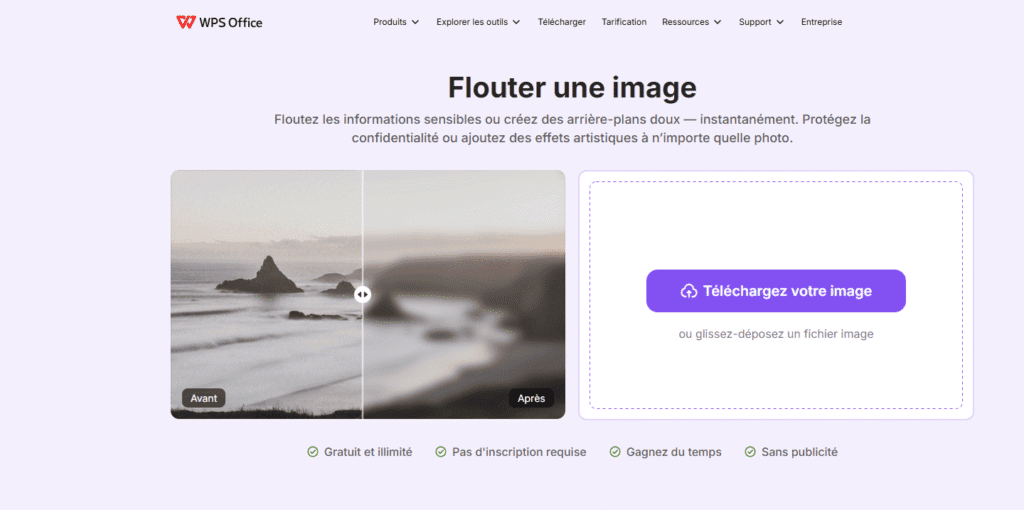
👉 Most of these features are even available for free on the WPS Office website and do not require a subscription!
WPS Office at a lower price via GamsGo
To minimise the monthly cost of WPS Office as much as possible and make further savings whilst enjoying the Pro+ version, here’s a reliable and very simple tip to help you pay less for WPS Office.
GamsGo offers discounted subscriptions on its platform, either through shared accounts or by purchasing in bulk, which enables it to offer cheaper accounts. For WPS Office, GamsGo provides a private account (username and password) so that you are the sole user!


- The cheapest subscriptions on the market
- 100+ platforms including Netflix, Spotify, Adobe, Disney+, YouTube Premium, etc.
- Immediate access to accounts after purchase
- 24-hour customer service

How much can you save?
This means you can enjoy the WPS Pro+ Premium features for around €4 per month, depending on the plan and subscription length you choose. This average saving of 20 per cent is well worth it if you plan to use WPS Office regularly and over the long term.
| Package | Price on GamsGo* |
|---|---|
| WPS Pro+ 1 month | €5.81/month |
| WPS Pro+ 6 months | €4.85/month (totalling €29.09) |
| WPS Pro+ 12 months | €4.04/month (totalling €48.49) |
| WPS Basic 1 month (without AI) | €3.87/month |
| WPS Basic 12 months (without AI) | €2.91/month (totalling €34.91) |
To try WPS Office Pro+ for free, GamsGo offers a 10-day free trial, during which you can cancel at any time before renewal.
My WPS promo code on GamsGo:
To save even more, you can use my promo code, which will give you a 3 per cent discount: budgenie
How does the WPS subscription taken out on GamsGo work?
1. Signing up is very simple. All you need to do is create a free GamsGo account, then search for WPS Office amongst the available subscriptions, either via the search bar or in the software section.
2. Next, select the plan that suits your needs (Pro+ with AI, or Basic without AI) and choose your preferred subscription length (1, 6 or 12 months). Don’t forget to enter the promo code at this stage!
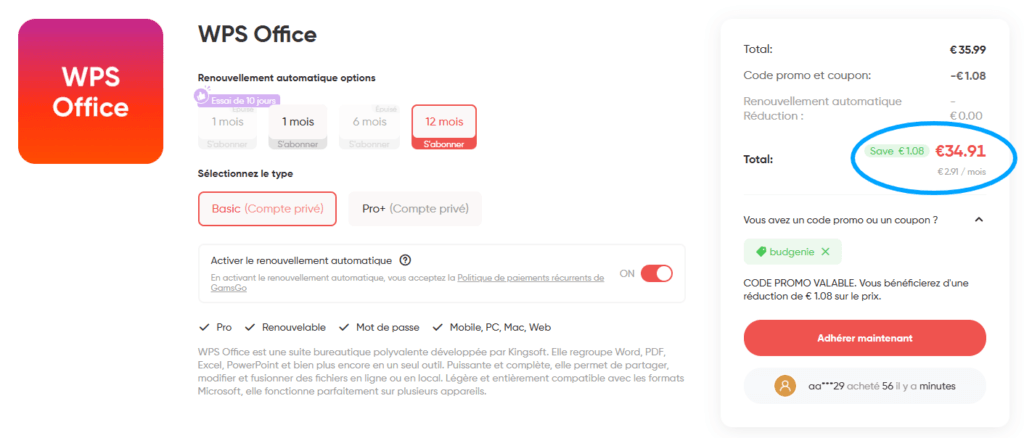
3. All you need to do now is confirm your order and make a secure payment via Google Pay or by credit card.
4. The details you need to access your WPS Office subscription are then available via your GamsGo account. You can find them in the ‘Subscriptions’ section on the platform:
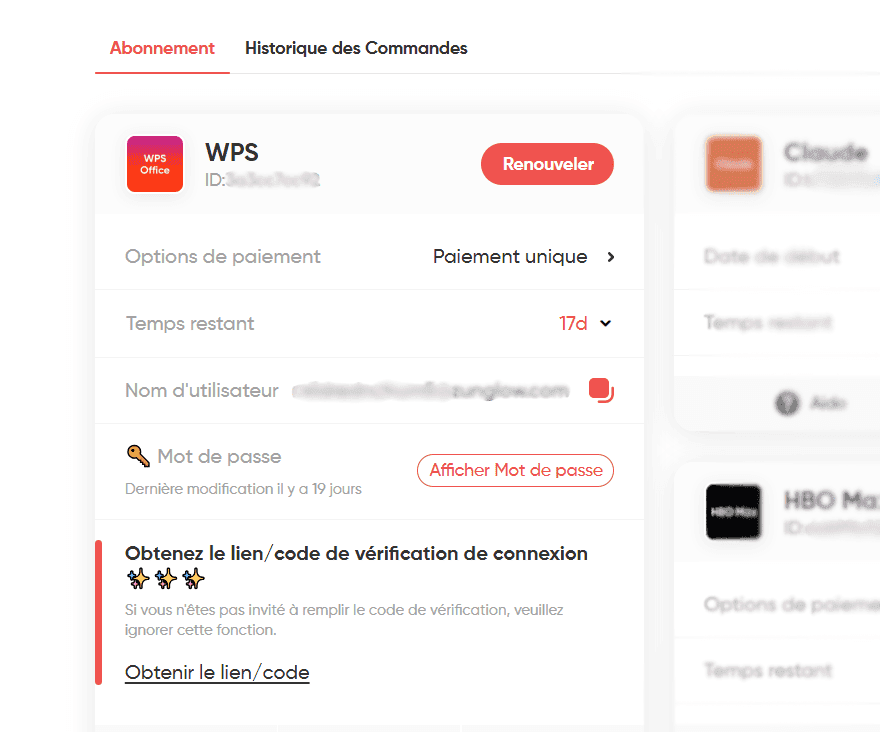
5. All you need to do now is go to WPS Office on your computer or mobile device (or download the suite if you haven’t already), then log in using the credentials provided by GamsGo.
Once you’ve logged in, you can check that your account has Premium features and start using WPS Office Pro+!
My review of WPS Office on GamsGo
GamsGo has several million users worldwide, including me! The platform is secure and offers a customer service team that’s available 24/7 should any issues arise. I’ve contacted them from time to time regarding email verification for accounts, and their support team is very efficient with these matters!

I’ve had active subscriptions on GamsGo for over 3 years, mainly to get Spotify and ChatGPT at a lower price. I also use other subscriptions from time to time, depending on my needs.
The limitations you need to be aware of are that you cannot activate Pro+ on your personal account, so anything you store in the WPS cloud is held in an account over which you do not have full control. For business or confidential documents, work locally or opt for the official service.
FAQ: WPS Office at a lower price
The free version is sufficient for standard use: it allows you to create and edit documents, spreadsheets and presentations, open Word, Excel and PowerPoint files, and view PDFs.
In return, you get adverts, 1 GB of cloud storage, basic PDF features and limited access to templates. Advanced PDF features, OCR, electronic signatures, 20 GB of cloud storage and AI features, however , are reserved for Pro+ users.
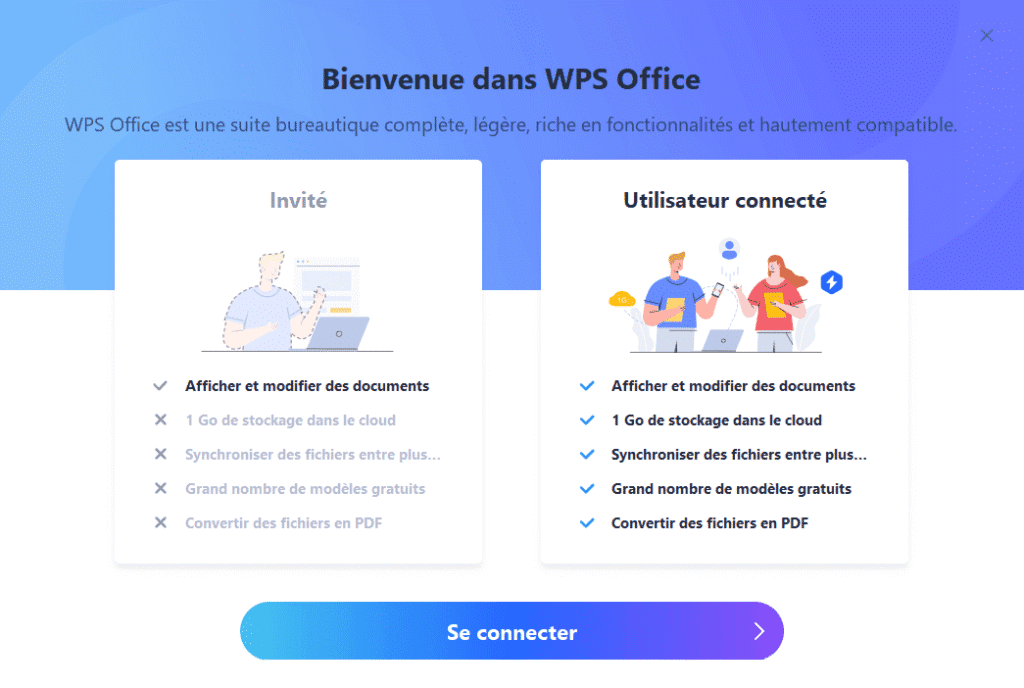
Yes, WPS Office offers equivalents to Word, Excel and PowerPoint in the form of Writer, Spreadsheet and Presentation. The suite is also compatible with the main Microsoft Office formats, such as DOCX, XLSX and PPTX, making it an excellent free and/or cheaper alternative to Microsoft Office.
For a single user, WPS Pro+ officially costs €59.99 per year (€48.49 via GamsGo), compared with €99 per year for Microsoft 365 Personal. If there are several of you, Microsoft 365 Family (€129 per year for up to 6 people) works out at €21.50 per year per person for six people, with 1 TB of OneDrive storage each, compared to 20 GB with WPS. And for basic use, the free version of WPS remains unbeatable.
WPS Office is by no means the only subscription available on GamsGo, which offers subscriptions in several categories:
- Software : Duolingo, NordVPN, Envato Elements, Autodesk, QuillBot, Strava, CapCut Pro, Adobe, Proton VPN, etc.
- AI : Notion, Perplexity, Claude, ElevenLabs, Midjourney, Gamma, Cursor, etc.
- Music : Tidal, Amazon Music Unlimited, Apple Music, Spotify, Deezer, YouTube Premium, etc.
- Streaming : Paramount+, Netflix, Disney+, FOX One, NBA, HBO Max, etc.
WPS does not offer a student discount on its Premium plan directly. Students and teachers can download WPS Office for free and access the various tools and educational resources included in this version.
Further information: https://fr.wps.com/education/
A subscription purchased on GamsGo works using the login details provided after you’ve placed your order. You cannot, therefore, simply use the GamsGo offer to add Premium to your personal WPS Office account. If you absolutely want to keep your usual account, it’s best to subscribe directly with WPS.