
Since 2015, Apple Music has been a benchmark among music streaming platforms, particularly in the Apple ecosystem thanks to its seamless integration with all Apple devices. But its low price of €10.99/month also makes it an excellent choice even on Android 😉
Although its prices are among the cheapest on the market for audio streaming platforms, Apple Music still represents an additional monthly leisure cost.
So I’m sharing with you a completely legal plan for paying less for Apple Music by sharing a family subscription and saving a nice sum each month.
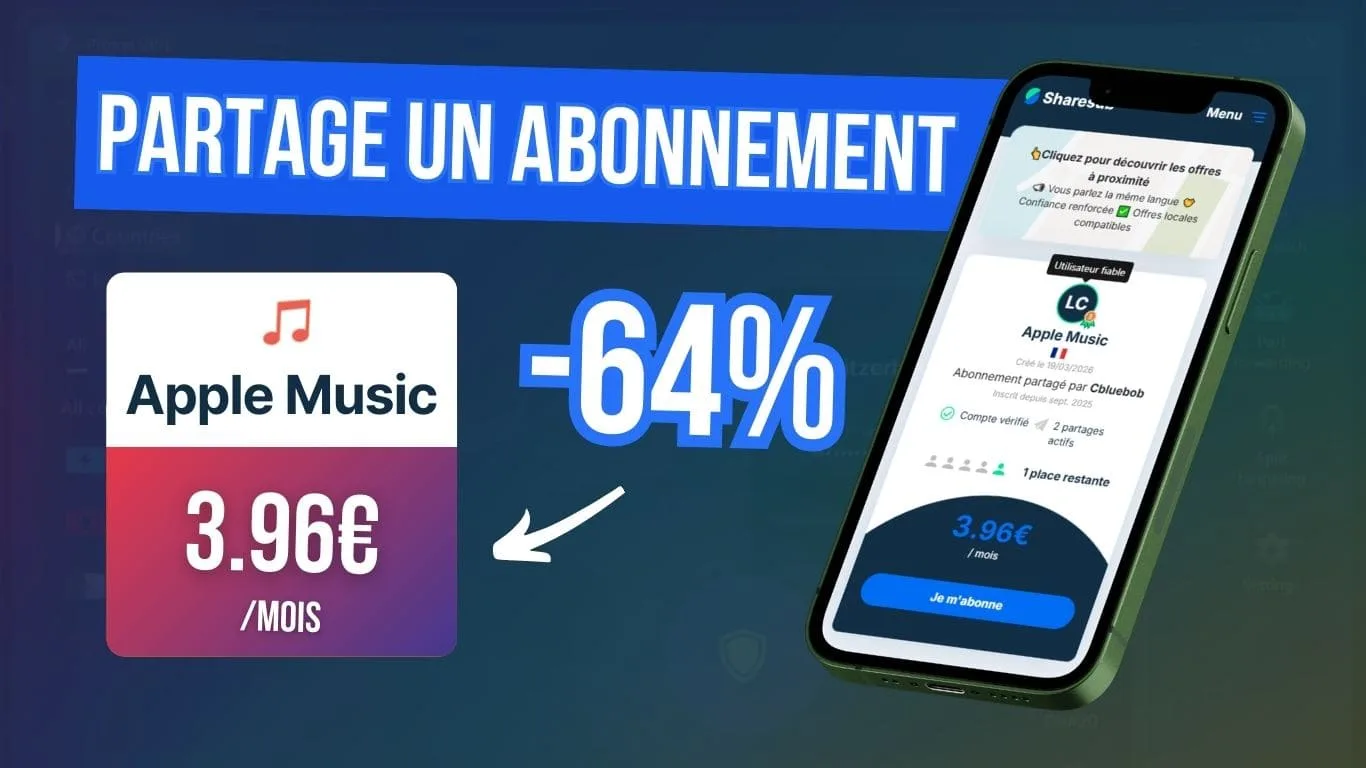
The best way to get Apple Music for less is Sharesub!
How much does Apple Music cost?
| Apple Music offers | Prices | No advertising | Reading on demand | Main feature |
|---|---|---|---|---|
| Student Plan | €5.99/month | ✔️ | ✔️ | Apple TV included |
| Individual plan | €10.99/month | ✔️ | ✔️ | Apple Music Classical included |
| Family plan | €16.99/month | ✔️ | ✔️ | Up to 6 profiles |
| Apple One maps | €19.95/month €25.95/month €34.95/month | ✔️ | ✔️ | Pack including Apple Music, Apple TV, Apple Arcade, Apple Fitness+ and iCloud+. |
Previously priced at €9.99 per month, the price of Apple Music subscriptions has also risen over the past year, like all its competitors, but it is still one of the cheapest, with an individual offer at €10.99 per month.
This compares with Spotify’s €12.14/month, Deezer’s €11.99/month and Amazon’s €12.14/month.
Can I try out the application for free?
Not really, because there‘ s no free version on Apple Music. Let’s just say that you can access the app or the web player and scroll through the tracks, but you’ll only be able to listen to a tiny sample. You can’t call that a free version 😉
What is Apple Music Classical?
Apple Music Classical is another application dedicated to classical music. Subscription is included if you already have an Apple Music subscription.
The benefits of Apple Music
With Apple quality at its core, the application experience is designed to be fluid and pleasant, and it really is:
- Perfect integration with the Apple ecosystem (but not only) is Apple Music’s strong point. The application is already installed on iPhone, iPad, Mac and Apple Watch, and everything is automatically synchronised with your Apple account.
You can switch from one device to another without configuring anything, find your playlists instantly, and even use Siri to launch your music by voice. - There’s a huge choice, thanks to a catalogue of over 100 million tracks, covering all musical styles.
- As with any good music streaming platform, you’ll find the latest releases, well-crafted editorial playlists and personalised recommendations.
- Audio quality is very good, with Apple Music including Lossless and Hi-Res at no extra cost. So it’s possible to get even better sound quality, provided you use good headphones or suitable speakers.
- And finally, of course, there’s on-demand playback and offline listening, so you can download your albums, playlists or tracks and listen to them without an internet connection.
Let’s take a look at how you can pay less for Apple Music, and start with the best option: subscription sharing!
Apple Music cheaper with Sharesub
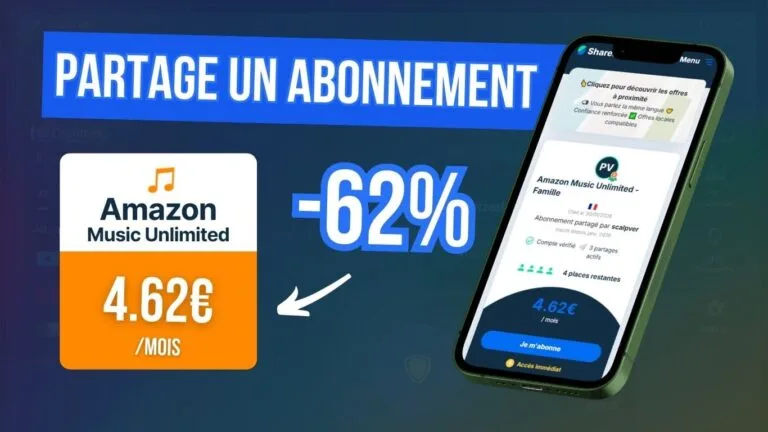
Rather than taking out an individual subscription at €10.99/month, you can use Apple Music’s Family offer, which lets you add up to 5 extra people to the same subscription. That’s exactly what French subscription-sharing platform Sharesub is offering.
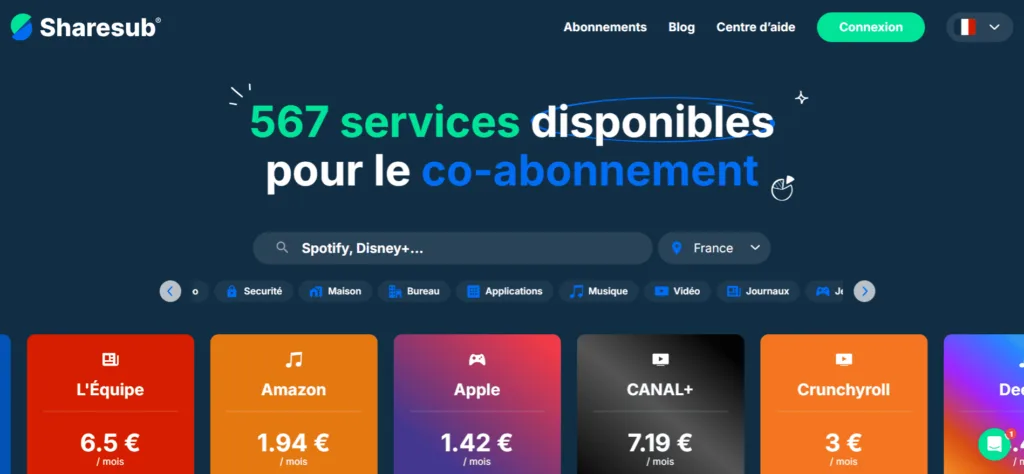
Sharesub works a bit like Blablacar by connecting users and providing secure payment and a guarantee period to ensure that the subscription works properly.
Sharing with Apple Music is very simple, as it’s an invitation to join a family subscription, so each user retains their own Apple account and their personal data remains private.
All you have to do is give your email address to the account owner so that they can send you an invitation.

- +700 subscriptions available!
- French platform with easy-to-contact support
- Earn money by sharing an account
- Save by joining cheaper subscriptions
Other ways to get Apple Music for less
1. Search for an Apple Music cashback offer
Cashback allows you to recover a small part of your subscription after the first payment.
All you have to do is go through a cashback platform such as Igraal, EbuyClub or Widilo and subscribe to Apple Music, and you’ll get back a percentage of the amount you spend.
Right now with Widilo, you can get around 1.8% cashback on your subscription.
Even if it’s still a lot less interesting than subscription sharing. It’s always worth it if you’re going to subscribe anyway. In any case, it’s good practice to have a cashback solution to start saving!

- The highest cashback rates!
- +3000 partner stores, including exclusive ones
- A comprehensive rewards system

free
2. Using a VPN for Apple Music
A VPN such as NordVPN or Proton VPN allows you to virtually change location and access different rates from a country where prices are lower, such as Turkey or India, for example.
It looks simple on paper but I wouldn’t recommend this method for several reasons:
- may contravene Apple’s terms of use
- payment can be blocked depending on the currency and your means of payment
- can become unstable over time (change of region, audits…)
- using a good VPN represents an additional cost
3. Take advantage of a discount or trial
Apple always offers free trial periods of 1 month or more, depending on the time. You can also find similar benefits through partner offers.
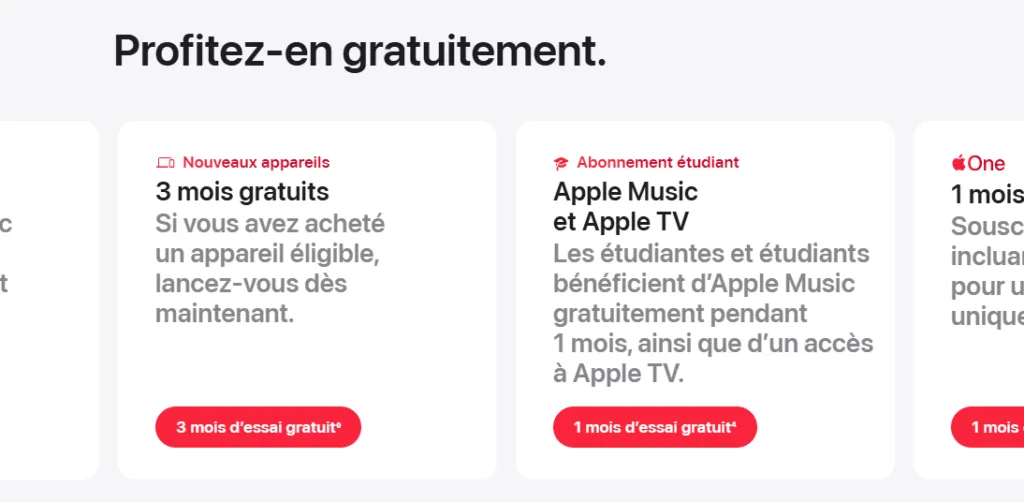
For example, you can take advantage of 3 months free at the moment by buying an eligible Apple device. It’s an interesting temporary solution for testing the service or paying a little less at the start.
How to join a shared Apple Music subscription
1. The first step is to create a free account on the Sharesub website using your email, Google or Facebook account.
2. Then find Apple from the home page, in the Music section or via the search bar.
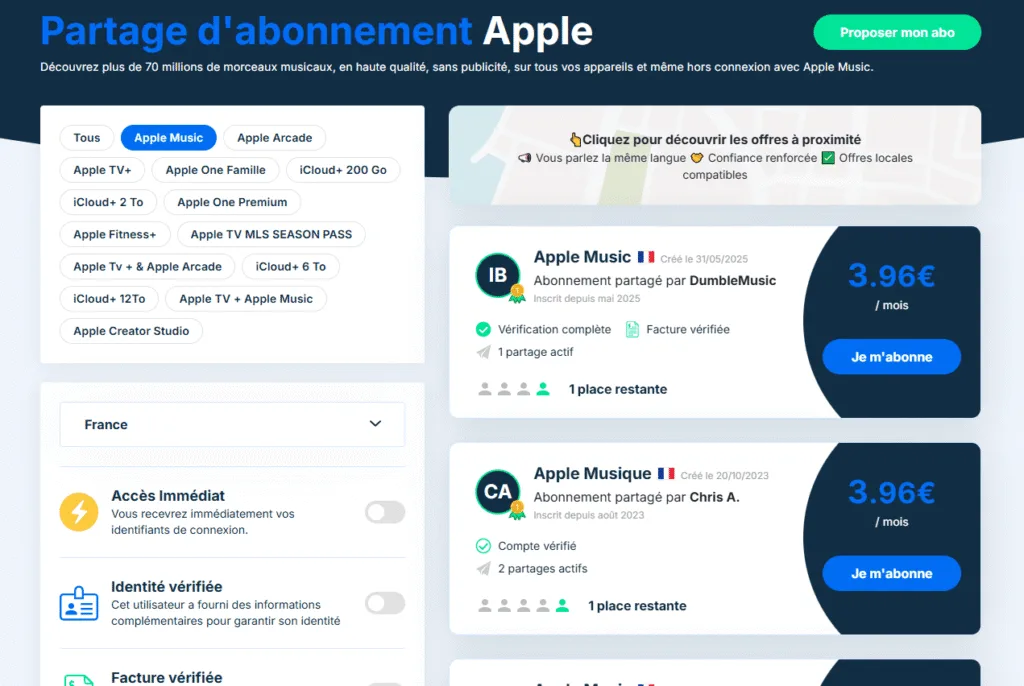
Once you’re on the Apple subscriptions page, you need to choose the type of account you want by filtering on Apple Music, because there are lots of other accounts, such as Apple TV+, Apple One, iCloud+, and so on.
3. You can then select the Apple Music package that suits you best. You’ll notice that the prices are similar because Sharesub determines how the cost of the subscription is shared between users.
As price is not a criterion, I would advise you to check the reliability of the account owner based on indicators such as account and invoice verification, seniority and number of active shares. In general, the first offers proposed are the most reliable.
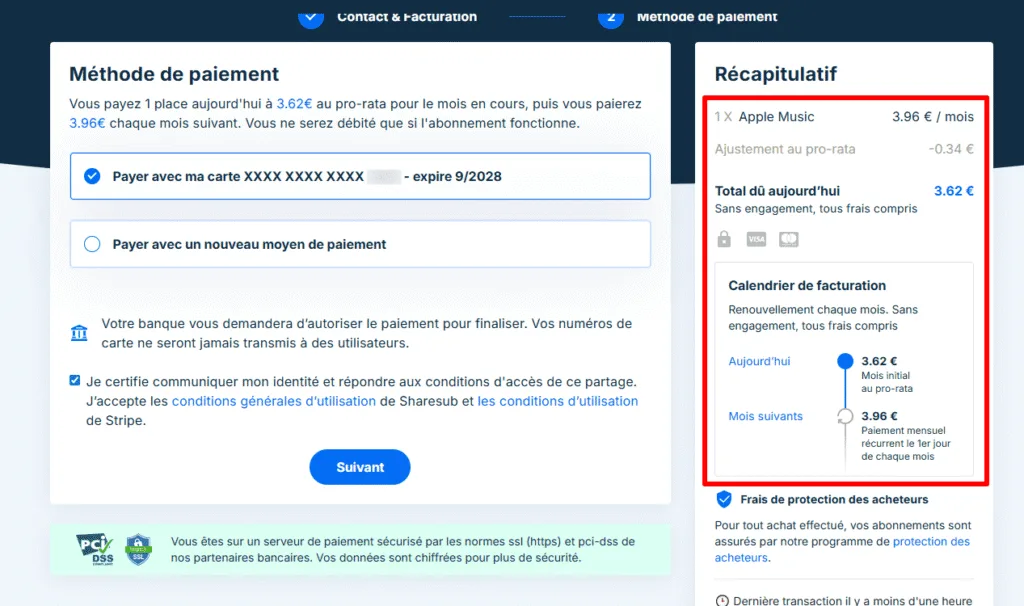
4. Payment is then made via a secure system (Stripe) and the first month is paid pro rata to the number of days so that you only pay for the days remaining in the subscription month.
5. You can then access the sharing group from your Sharesub space. The owner will ask you for your email address to invite you to join their Apple Music Family space.
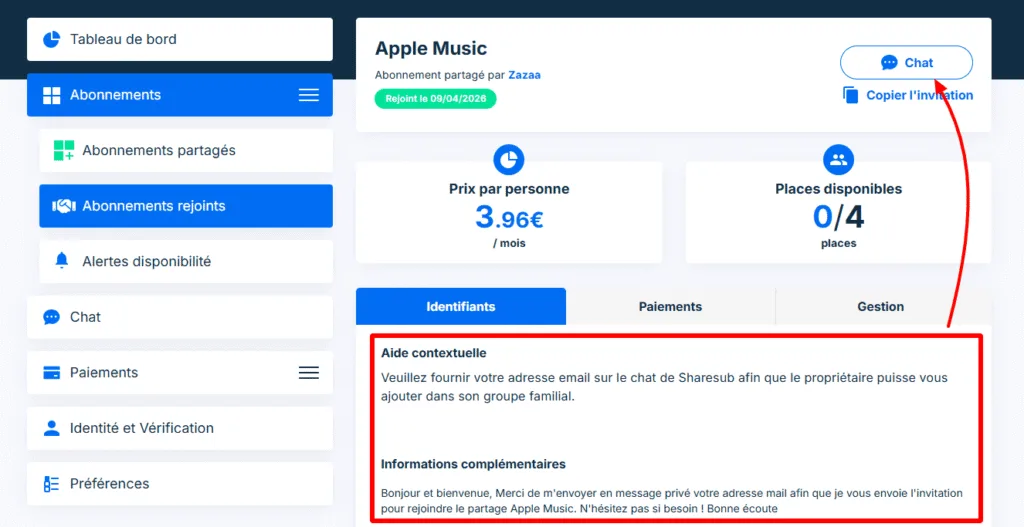
This direct messaging with the owner is very practical for exchanging information quickly and confirming that everything is running smoothly. Once you’ve entered your email address, the host has up to 24 hours to invite you, but it’s usually done within a few hours 😉
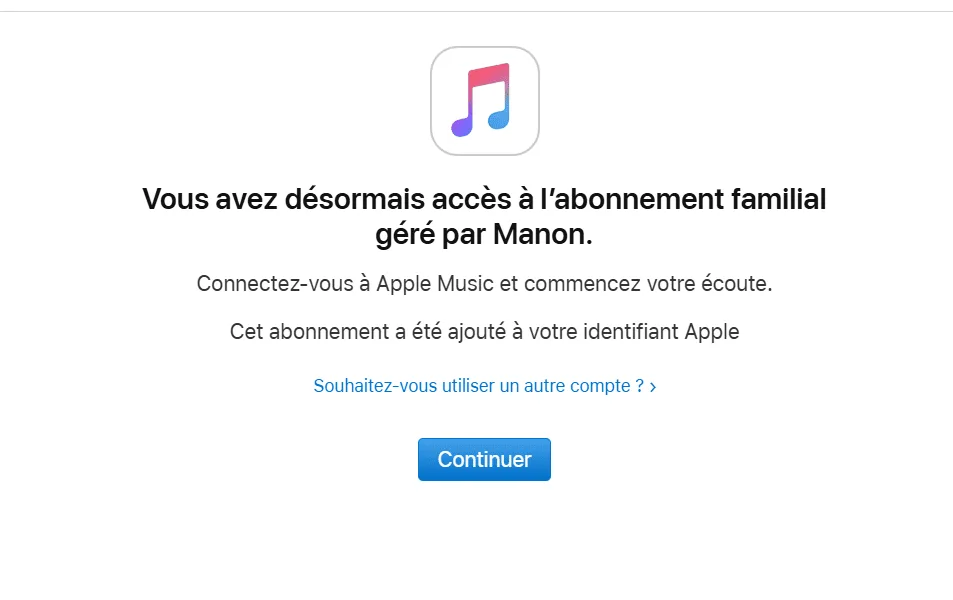
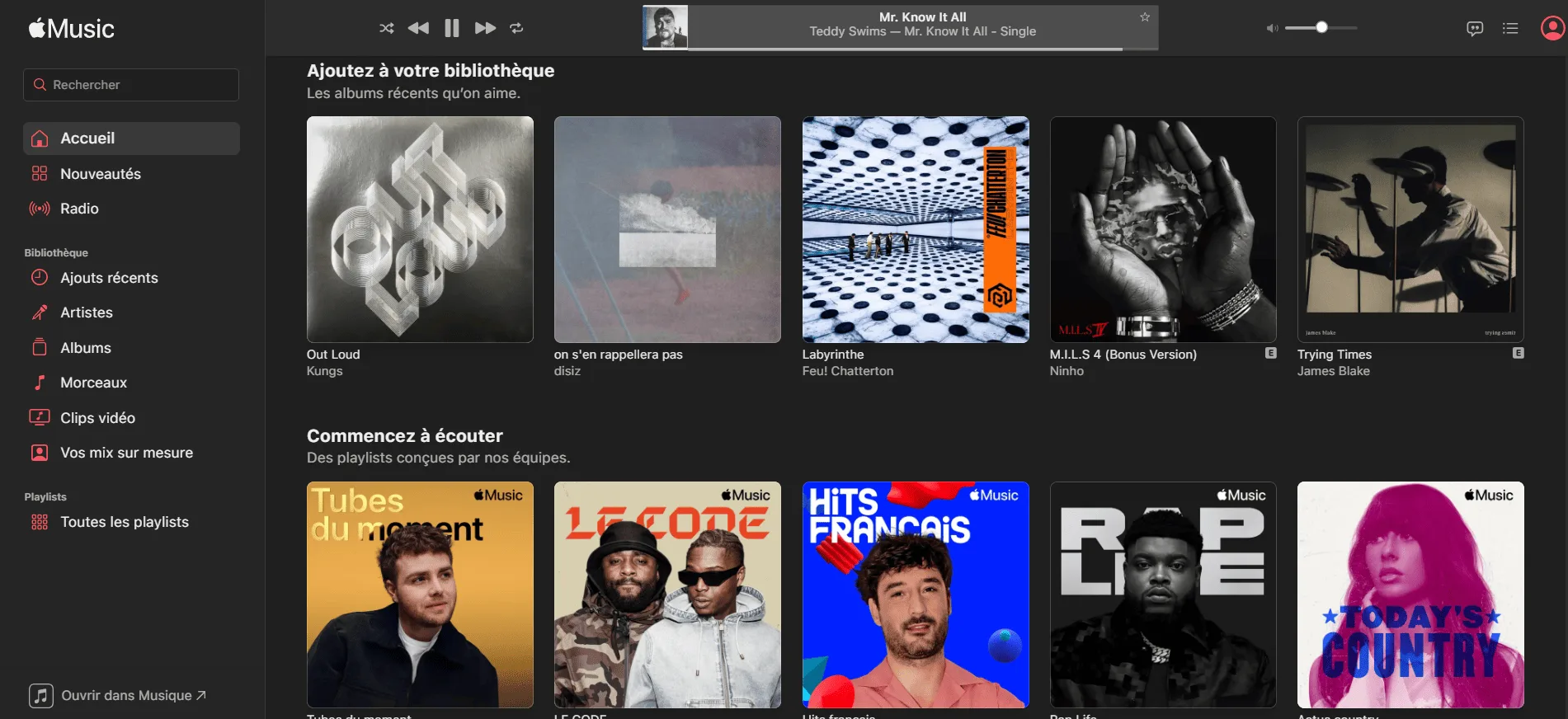
And now I’m connected to the Apple Music website or app for much less!

I’ve been using Sharesub for over a year for my Google One, Canal+ and music subscriptions. The service is top-notch and stable, since I’ve been in the same sharing group for several months without changing, and I’ve already saved around a hundred euros!
How do I share my Apple Music subscription?
You can also be on the other side by offering your own Apple Music subscription to reduce your bill.
If you have a Family package with free spaces (up to 5), you can add them to Sharesub to share them easily and make your subscription a little more profitable without having to deal with them on a daily basis.
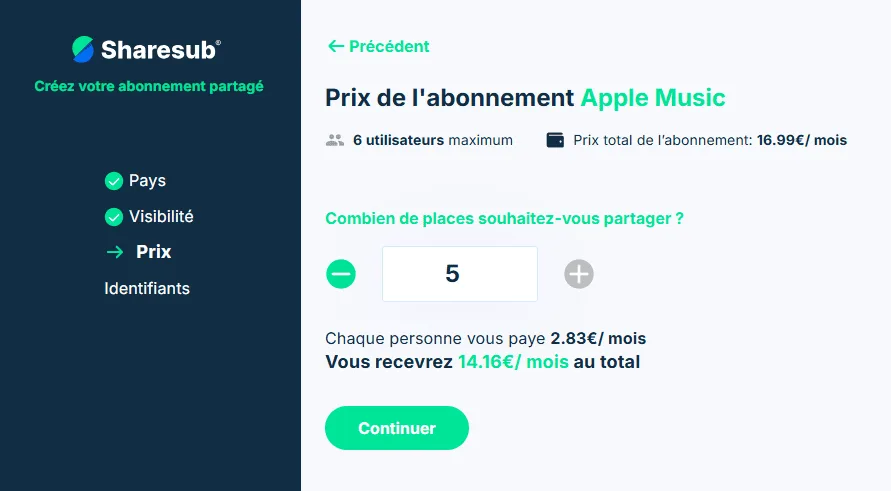
All you have to do is follow the steps suggested by Sharesub, and you’ll also have all the information you need to know how to share once a user has joined their group.