
Do you already use Amazon Music or are you thinking of switching to Amazon Music Unlimited? This streaming service is one of the serious alternatives to Spotify, Deezer and Apple Music, with over 100 million tracks and premium features.
I’ll show you how to get Amazon Music Unlimited for much less by sharing a subscription with Sharesub, a legal solution that lets you split the cost of the subscription between several users. Let’s see how much you can save and how easy it is to join a subscription.
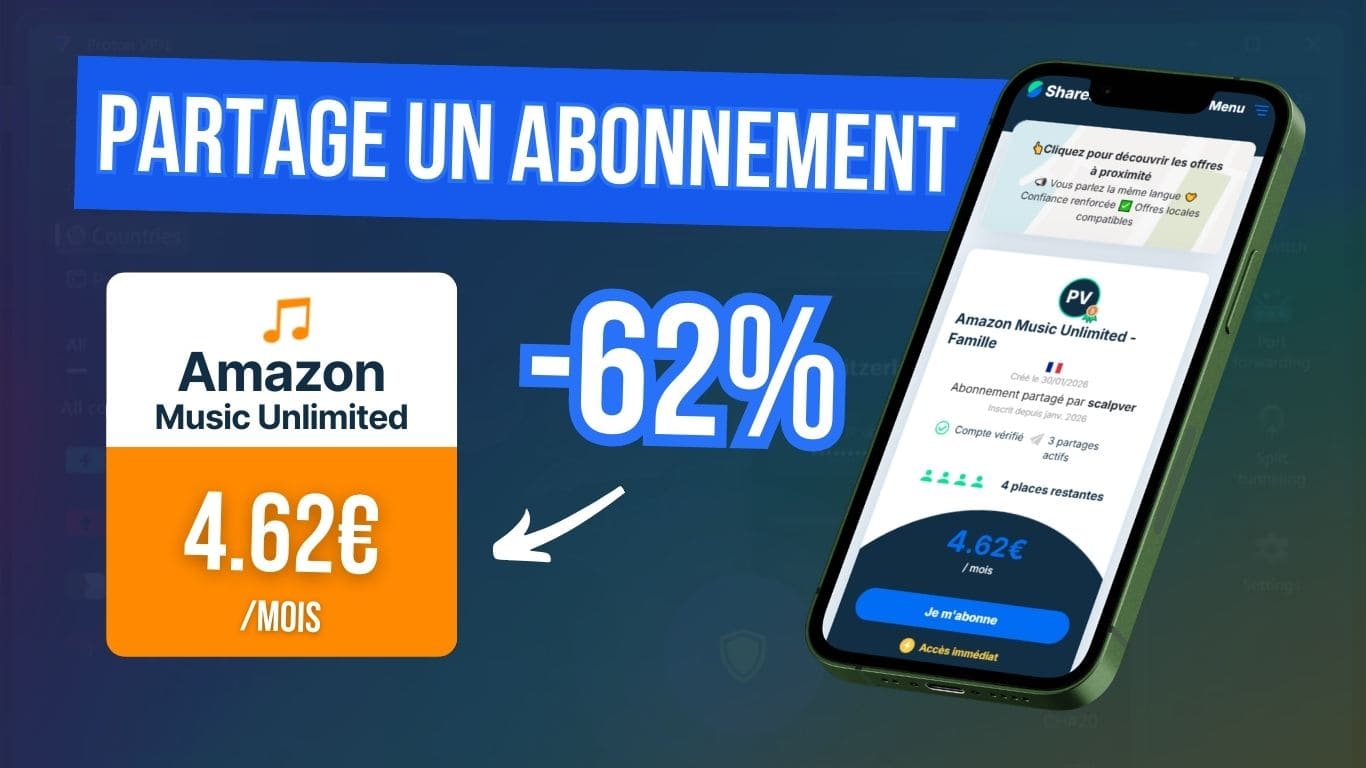
The best platform for paying less for Amazon Music Unlimited is French, and it’s called Sharesub!
How much does Amazon Music Unlimited cost?
| Amazon Music offers | Prices | No advertising | Reading on demand | Main feature |
|---|---|---|---|---|
| Amazon Music Free | Free | ✖️ | ✖️ | Standard audio quality with adverts and random playback |
| Amazon Music Prime | 6.99€/month | ✔️ | ✖️ | All ad-free music with shuffle is included with Amazon Prime subscription |
| Amazon Music Standard | 11.12€/month | ✔️ | ✔️ | Unlimited music (excluding Audible audiobooks) |
| Amazon Music Unlimited | 12.14€/month | ✔️ | ✔️ | The most complete range of music, podcasts and Audible audiobooks included |
| Amazon Music Unlimited Family | 21.24€/month | ✔️ | ✔️ | The same complete package to share with up to 6 people |
| Amazon Music Unlimited Echo/FireTV | 6.07€/month | ✔️ | ✔️ | The same comprehensive offer accessible only from an eligible Echo or FireTV device |
The free Amazon Music version has the merit of existing, which is not the case on all music streaming platforms. It works with ads and random playback.
Then there’s Music Prime, which, as the name suggests, is included with your Amazon Prime subscription if you already have one. You get ad-free listening, but with limits on the number of tracks you can zap.
Amazon Music Standard and Amazon Music Unlimited offer full, unlimited access to the platform and its features.
What distinguishes the Standard version from the other Unlimited versions is the fact that, for an extra €1 a month, you get access to audio books, a bit like having an Audible subscription included.
The benefits of Amazon Music Unlimited
Amazon Music Unlimited is one of the most comprehensive music streaming services available:
- It has a great selection of music and podcasts, with over 100 million tracks covering all musical styles: pop, rap, rock, electro, classical music, jazz, etc.
- There’s also access to over 850,000 audiobooks in the same format as the Audible subscription with 1 book per month!
- HD and Ultra HD audio quality directly included in the Unlimited subscription.
- The ability to download your tracks, albums or playlists and listen to them without an internet connection.
- Amazon Music Unlimited integrates seamlessly with the brand’s devices, including Echo speakers and the Alexa voice assistant, so you can launch a sound with a simple voice command.
Pay less for Amazon Music Unlimited with Sharesub
Although a trial period of between 1 and 3 months is generally offered, you’re likely to find that the Amazon Music Unlimited subscription remains a little high over the long term.
A clever way of reducing the price is to share a subscription via Sharesub, which lets you enjoy exactly the same service, but divide the cost between several users.
What is Sharesub and how does it work?
Sharesub is a French platform specializing in online subscription sharing between users. My opinion of it is very positive, given that the company is based in the Paris region, has been in existence since 2022 and has almost 1m users.

Just as on Blablacar you can find users to share a journey, on Sharesub you can find people who have a family season ticket with spaces available ready to be shared.
In the case of Amazon Music Unlimited, this is the Family package, which allows up to 6 different users to be added. Each user has their own profile, with playlists and recommendations.

- +700 subscriptions available!
- French platform with easy-to-contact support
- Earn money by sharing an account
- Save by joining cheaper subscriptions
How much can I save on Amazon Music Unlimited?
This is where Sharesub really comes into its own: you can access a private Amazon Music Unlimited account profile for just €4.62/month instead of €12.14. Sharesub saves you over 60%!
Over a full year, this represents a saving of €91, which is equivalent to paying around €55 instead of €146.

I’ve been using Sharesub for over a year now and I’ve already saved over €150 on my Canal+ and Amazon Music subscriptions thanks to this method.
Sharing generally goes very smoothly because you can talk directly to the account manager via a private message service.
How to join a shared Amazon Music Unlimited subscription
1. Create your free account on Sharesub by going to the Sharesub website and registering in a few seconds. You can use your email or go faster with your Google or Facebook account.
2. Once you’re logged in, search for Amazon Music Unlimited, which can be found on the home page under Music or using the search bar.
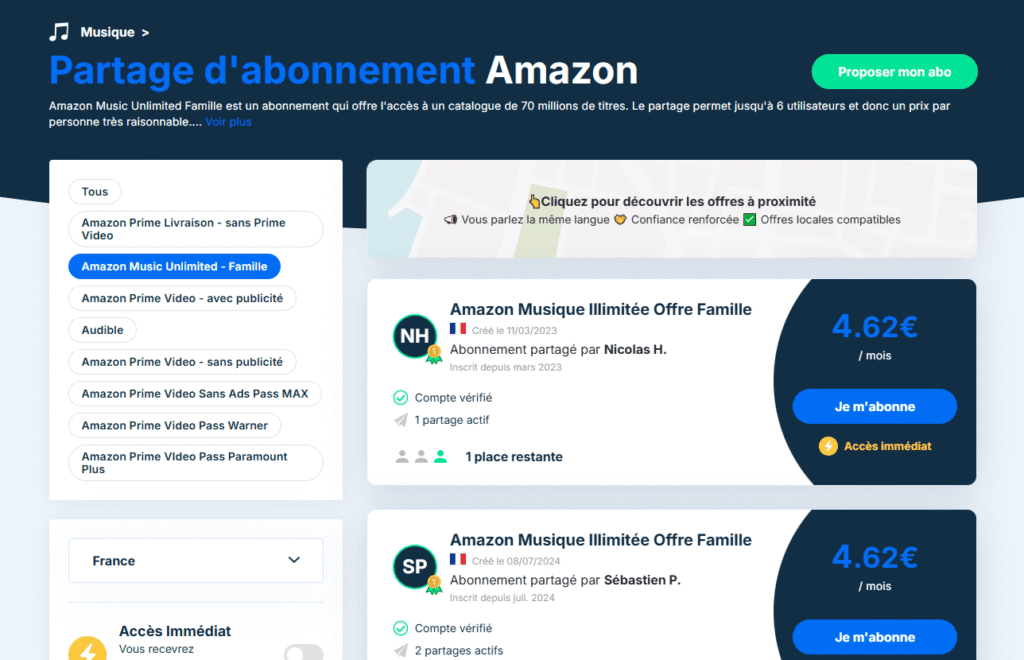
Once you’re on the Amazon subscription sharing page, choose the type of account you want from the filters to find Amazon Music Unlimited – Family. You’ll also find : Amazon Prime Delivery, Amazon Prime Video, Audible, etc.
3. Then select the offer that suits you best. You’ll notice that the prices are similar: that’s normal, Sharesub requires a fair distribution between users.
The main criterion for making your choice will therefore be the reliability of the account owner. To help you, you can base your choice on several indicators (even if the first offers proposed are generally the most reliable):
- audited account
- length of ownership
- number of shares already shared
4. Pay directly on the platform via a secure system (Stripe).
Good to know: the first month is calculated on a pro rata basis, so if you join during the month, you only pay for the remaining days. In my case, I joined on the 9th of the month, so I paid €4.27 (€4.62 – €0.35).
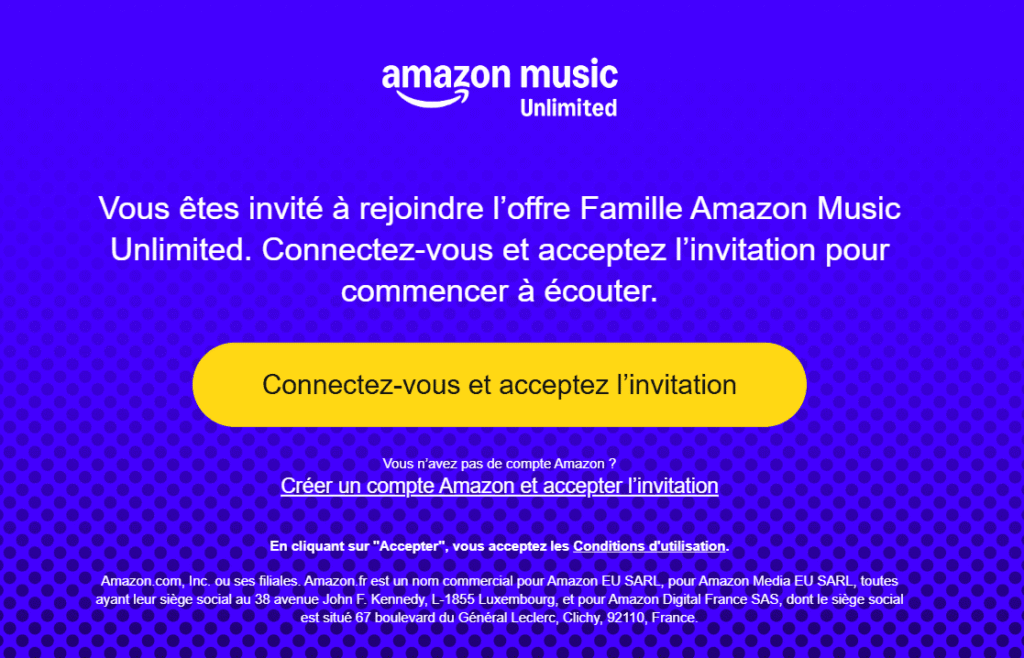
5. Once payment has been validated, you will receive either immediate access (specified at the time of purchase) or an invitation sent by the owner.
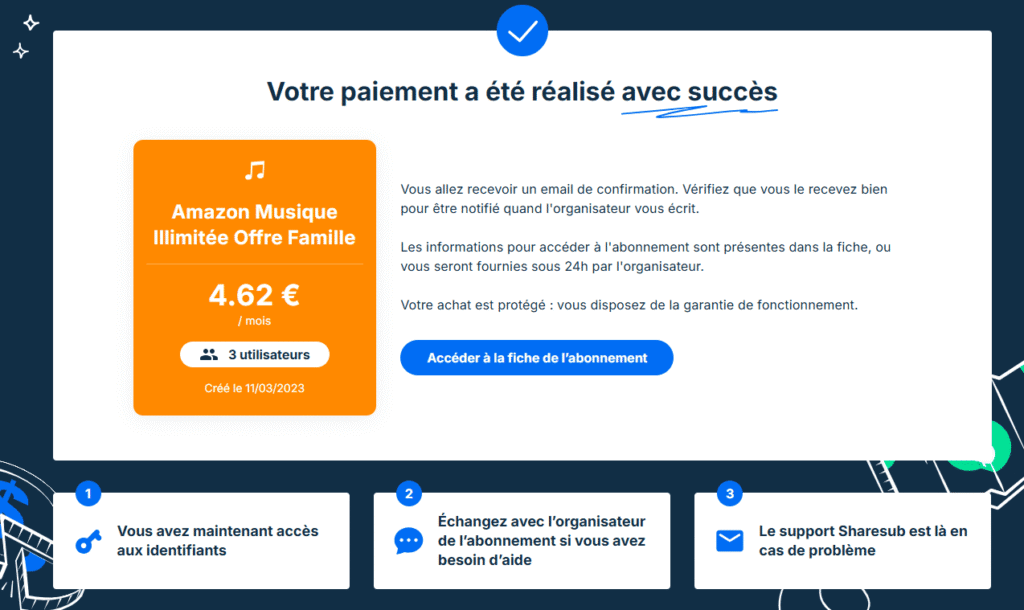
You can also contact them directly via the integrated messaging system to confirm that their invitation is working. It’s also very handy for quickly obtaining a verification code or other information when you first connect.
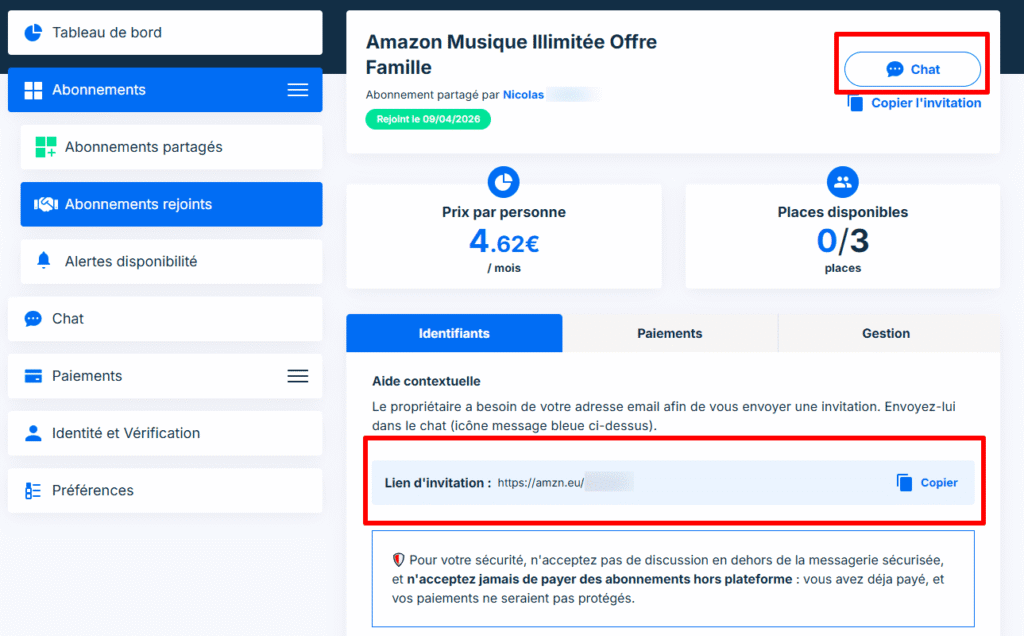
In most cases, everything is done very quickly. Once you’ve added your subscription, you can enjoy Amazon Music Unlimited on a private account profile just as if you’d subscribed on your own, but for much less!
Share your Amazon subscription to reduce your bill
It is also possible to do the opposite, i.e. to share your own subscription in order to earn income each month and therefore pay less.
If you have an Amazon Music Unlimited Family package, you can add up to 6 users. And if all these spaces are not used, you pay for “empty” slots. You can then offer them to other users via Sharesub.
Once you have created your account, simply publish your subscription on the platform, indicating the number of places available. You will then receive entries when a user subscribes to your package.
👉 So instead of paying €21.24/month on your own, you divide the bill according to the number of participants.